
Guide Your next conversation starts here
How to Learn Spanish on a Mac: A Practical Study Plan for Beginners
Useful phrases, short daily lessons, and a four-week plan to start speaking Spanish with confidence.
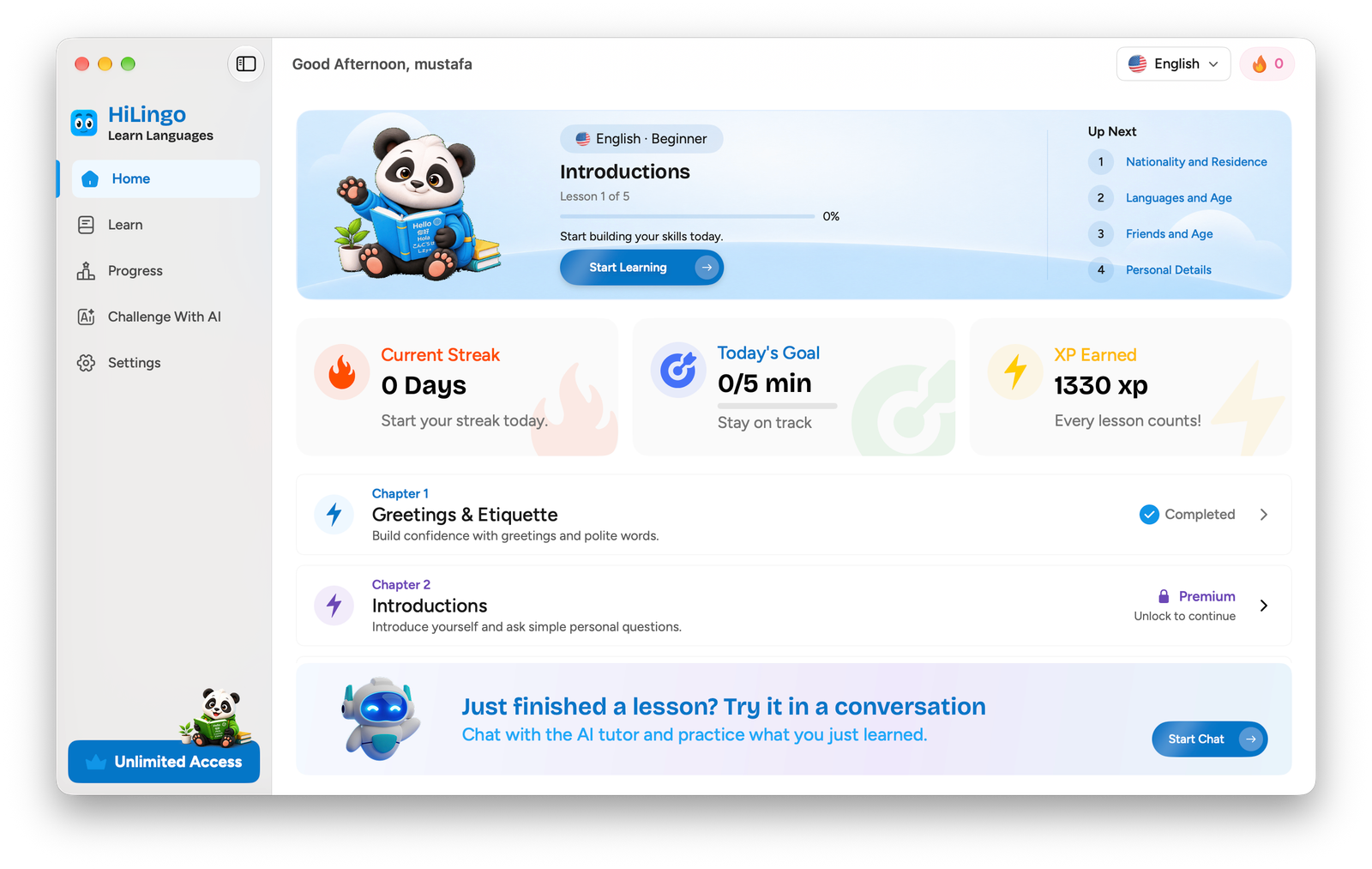
You probably have a Mac to learn Spanish. But it’s not the tools rather how to utilize them. If you’re looking to learn Spanish on a Mac, then this guide is for you. We’ll give amazing tips that will help you improve vocab, set a solid routine, and learn the Spanish language with visible progress. So, if you’re interested, then let’s check it out:
Start with Your Spanish Learning Goal
First, you need to set a definite goal. Learning Spanish is too vague for creating a language learning routine. Here’s what you can base your goal on:
- Learn greetings, ordering food, asking directions, etc. for traveling needs.
- Learn vocab for communicating with global teammates.
- If you’re visiting or have someone coming over, you need to learn to make small talk.
When setting your goal, you can create smaller goals with similar output. This way, you can record your progress every day. It also gives you solid evidence of the progress you’ve made so far, keeping you motivated.

Learn Essential Sounds and Everyday Phrases
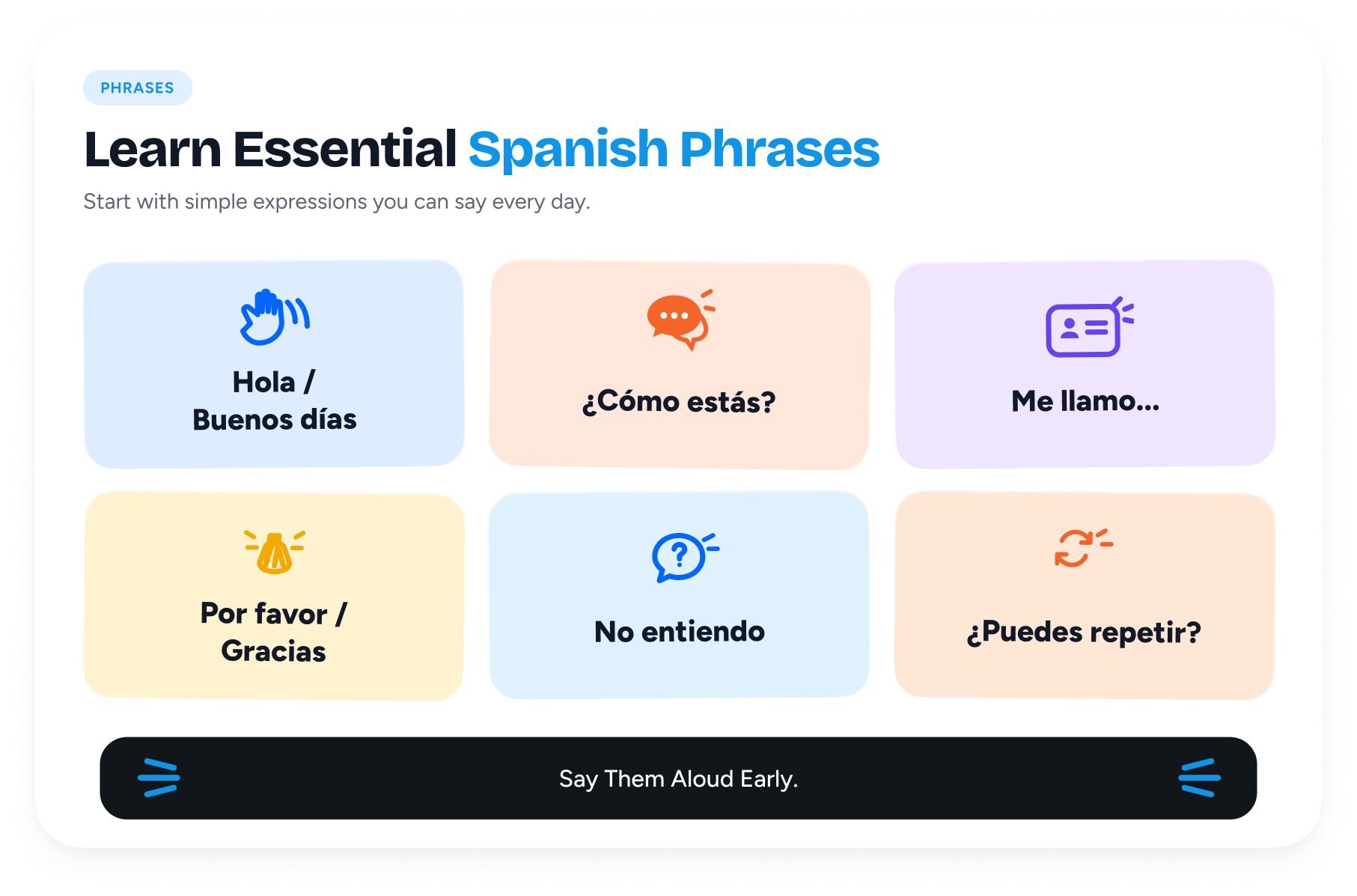
The next step is to learn the essentials and everyday phrases. From vowels to rolled-up consonants, make a directory of the basics you need to learn. This gives you a beginner tutorial for getting started. Here is a handful of phrases to start with:
- Hola / Buenos días: hello / good morning
- ¿Cómo estás? How are you?
- Me llamo…: my name is…
- Por favor / Gracias: please / thank you
- No entiendo: I don't understand
- Puedes repetir: Can you repeat that?
In addition, you can also check how each word or phrase is pronounced. This helps you understand the expression better. You can also remember the word this way better.
Build a Small, Useful Vocabulary
Learning basic vocabulary is important for learning a new language. However, you should focus on learning slowly but consistently. Instead of learning 100 words per day, focus on learning 10 and remembering them effectively. If you want, you can use the following steps to achieve this:
- Group the words using theme – food and traveling words stick together.
- Learn nouns with their article.
- Start with core verbs.
Ensure that you’re reviewing yesterday’s lesson. This helps strengthen your learning, helping you remember everything learned so far. You can also use flashcards for longer cramming sessions.

Practice Listening and Speaking Together
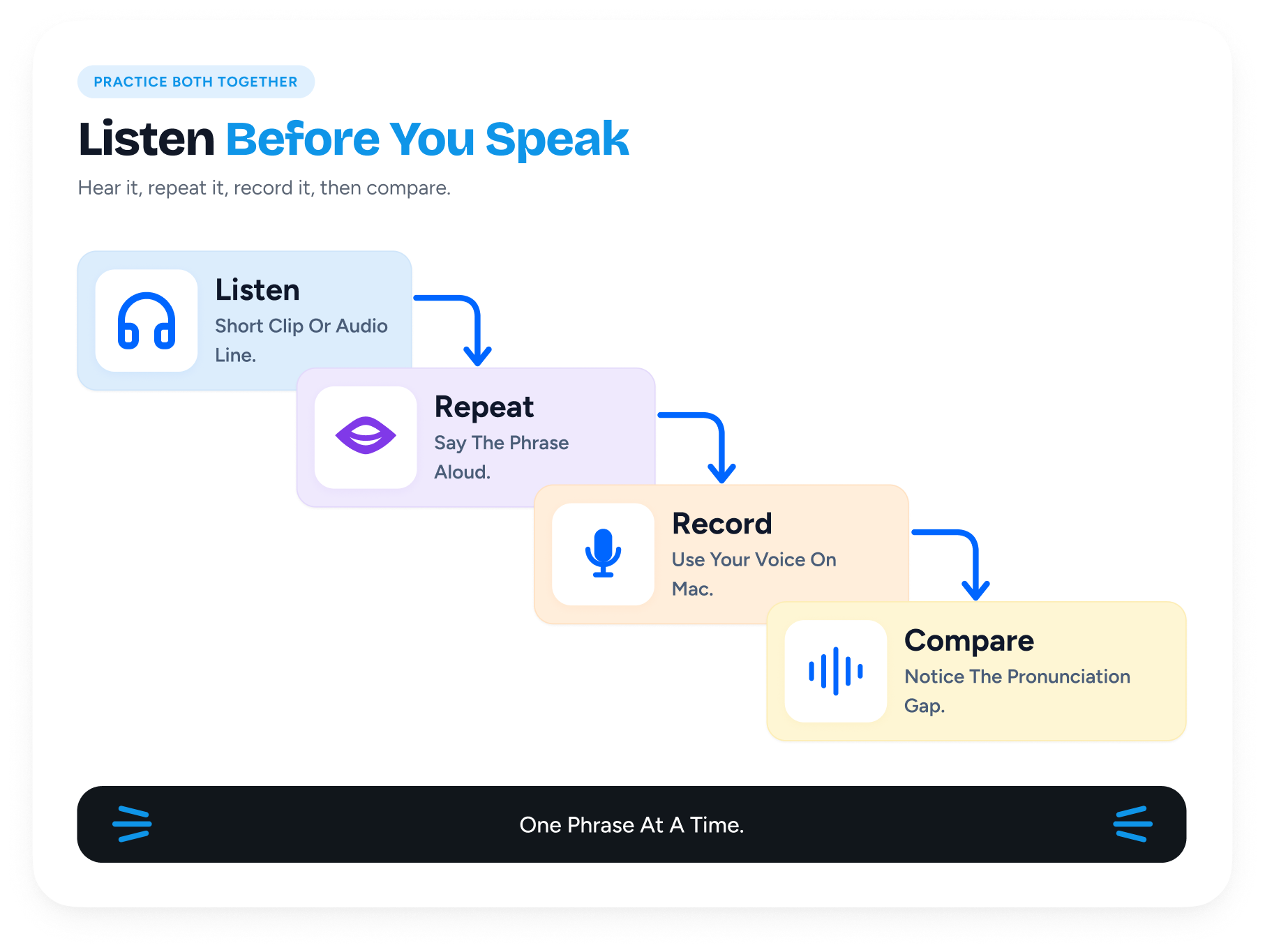
If you’re learning a new language on your own, ensure that you’re practicing it consistently. The key to this is to listen and speak together to help you understand what you’re learning. You can use a short clip, audio line, etc., repeat what was spoken, and record it. Review this to ensure that your pronunciation aligns accordingly.
Use Short Study Sessions on Your Mac
When learning Spanish on your Mac, ensure that you’re dedicating at least 10-20 minutes daily for the lesson. You can split this 20-minute session into smaller tasks such as reviewing the lesson. Here’s how you can set your routine:
- Set a reminder for every lesson.
- Create a focus mode so you learn uninterrupted.
- Add a Spanish typing keyboard so you can type in the words you’re learning.
- Ensure that you’re achieving your daily vocab goal.
In case you’re not in the mood or having a tough day already, you can skip the 20-minute session. Instead, lock in for 5 minutes to review yesterday’s lesson. This keeps your progress intact, and you can re-focus the next day.
A Simple Four-Week Beginner Plan
You can use this simple beginner plan to start your learning routine. Again, this plan isn’t fixed but only to get you started:
- Week 1: practice 10 phrases and learn ample vocabulary to be able to introduce yourself.
- Week 2: practice core phrases for describing your day. This includes 40 theme words plus ser, estar, and tener.
- Week 3: practice listening and speaking something that helps hold a conversation.
- Week 4: shift to real-world situations according to your goal.
Again, this routine is not fixed. This is just a sample weekly routine, which you can follow. You can get started with this and make changes as required. Just ensure you keep reviewing what you’ve learned so far.

Common Beginner Mistakes to Avoid
As a beginner, here are some mistakes that you should avoid:
- Avoid skipping speaking lessons. Speak each lesson, whether asked to in the tutorial or not.
- Ensure that you’re translating each word to ensure that you know the difference between expressions.
- Focus on learning slowly but consistently rather than learning fast and inconsistently.
- Make sure that you’re not skipping review so you don’t forget past lessons and keep a solid learning foundation.
Instead, ensure that you’re understanding the expression. This helps you learn the phrases faster and remember them as well.
Tools That Can Support Your Spanish Practice
While learning Spanish on your Mac, you can come across various tools and apps. One of the recommended language learning tools is HiLingo. It’s an all-in-one language learning app for Mac designed to help you learn a new language.
It provides learning for 30+ languages, including Spanish, through quizzes, short lessons, and conversations, all with AI assisted. This AI-based app helps the user to practice everyday lessons effectively.
The good thing is that it’s available for macOS 14 and later users and is free to start. You can also check out the demo lessons to know more about its interface.
Apart from this, you can include flashcards for learning, watch videos, listen to podcasts, or use built-in translation tools for the learning experience. However, with an AI-based app, you can surely get better assistance.
Closing Thoughts
Using an AI-based app can help you learn a language faster. You need to pick a solid app such as HiLingo, which aligns with your learning goal. Follow the guided steps above to sustain your learning routine.